 Start tracking

 Vizo
See how the whole SERP changes.
Track organic results, ads and AI Overviews for your keywords, locations and devices. Compare any dates side by side to spot new competitors and ranking shifts.

Search results change constantly. Most tools show only part of the picture.
Rankings change as algorithms, pages, and competitors change. Regular SERP snapshots and domain tracking help teams spot important shifts.
Vizo saves the SERP at your selected depth on each run so you can see and compare changes.
Traditional SEO tools and Vizo
Traditional SEO tools
- Focus on your position for each keyword
- Show rankings, not the full SERP
- Focus on your own domain
- Keep backlinks and keyword data in other reports
Vizo
- Captures the SERP at your selected depth on every run
- Stores SERP snapshots to compare over time
- Tracks your domain and competitors across keywords
- Shows SERP changes: new and lost domains
How teams use Vizo every day
Reacting to algorithm updates
When rankings become unstable, see what changed.
Vizo helps teams spot ranking changes and respond sooner.
Comparing periods
Analyze search results before and after:
- Tests
- Algorithm updates
- New page launches
- Redesigns
- Product releases
Daily rank monitoring
Monitor top-5, top-10 and top-20 rankings daily and see what changed.
Risk monitoring
Review backlink profiles of ranking domains and spot suspicious links.
Tracking domains across locations and devices
Track how domains appear in search results across different countries and devices.
Built for teams that track SERPs at scale
2M+ SERP snapshots analyzed
200+ countries tracked
10k+ keywords monitored daily
See the full search results — not just positions.
Vizo saves SERP snapshots at your selected depth so you can compare runs and find ranking changes.
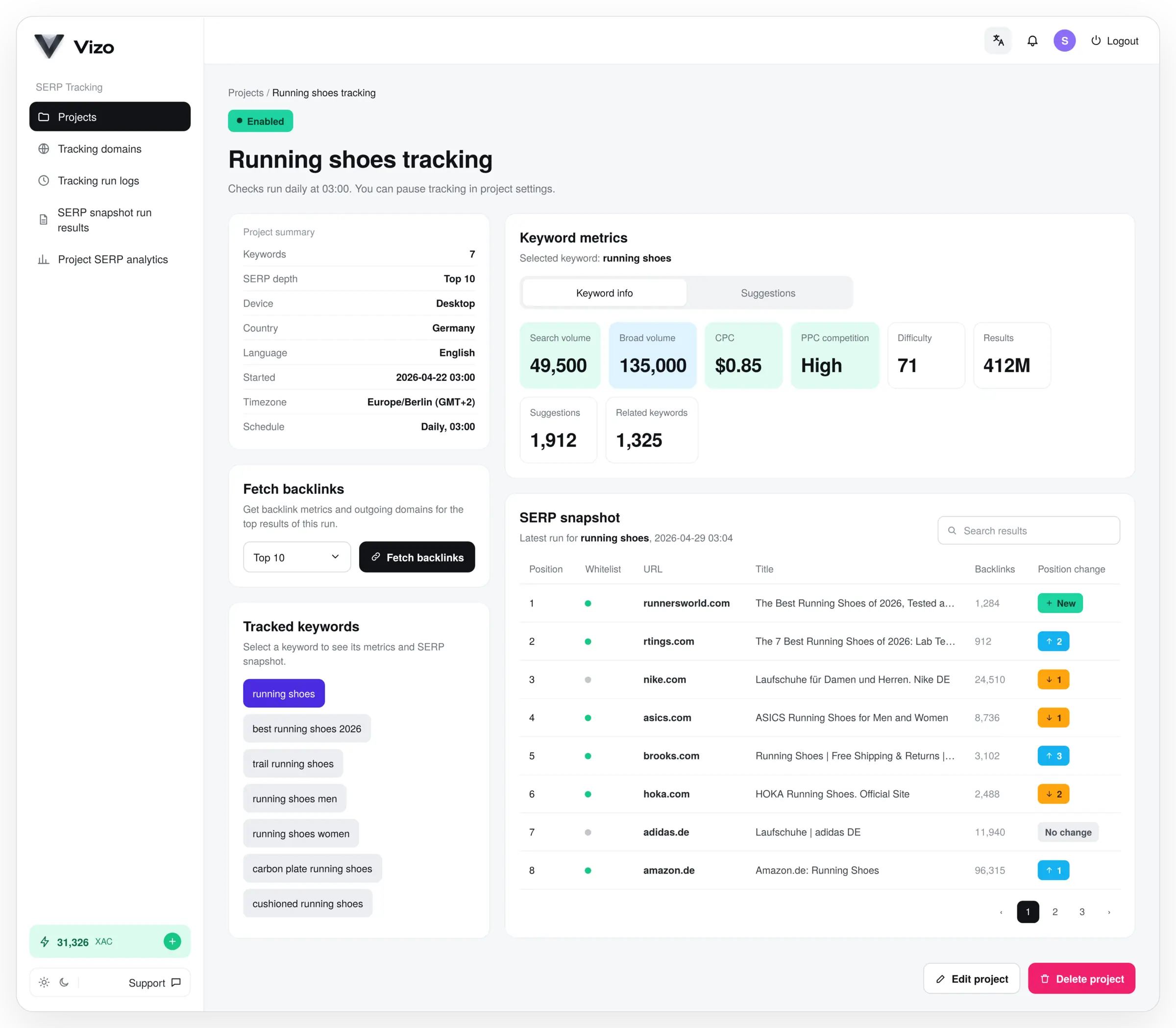
Return to saved SERP snapshots
Capture and store search results for your keywords, countries, and devices. Return to any saved snapshot.
Control the depth of analysis — from a quick top-10 to an extended top-100.
Full SERP coverage
Vizo collects search results by:
- Country
- Device
- Keywords
- Language
- Including ads and AI Overviews
Domain monitoring and tracking
Vizo highlights tracked domains so your team can focus on relevant results.
Advanced access management
Flexible roles and permissions system.
- Roles
- Permissions and restrictions
- Transparent team management
SERP history and volatility detection
Compare saved runs and analyze changes:
- View saved search results by date
- Number of domains in the top-5 / top-10 / top-20
- New domains appearing in results
- Domains dropping from results
- Ranking changes
SERP volatility: HIGH
Top changes detected:
- 5 Domains entered top-10
- 3 Domains dropped from top-20
- Ranking shifts detected
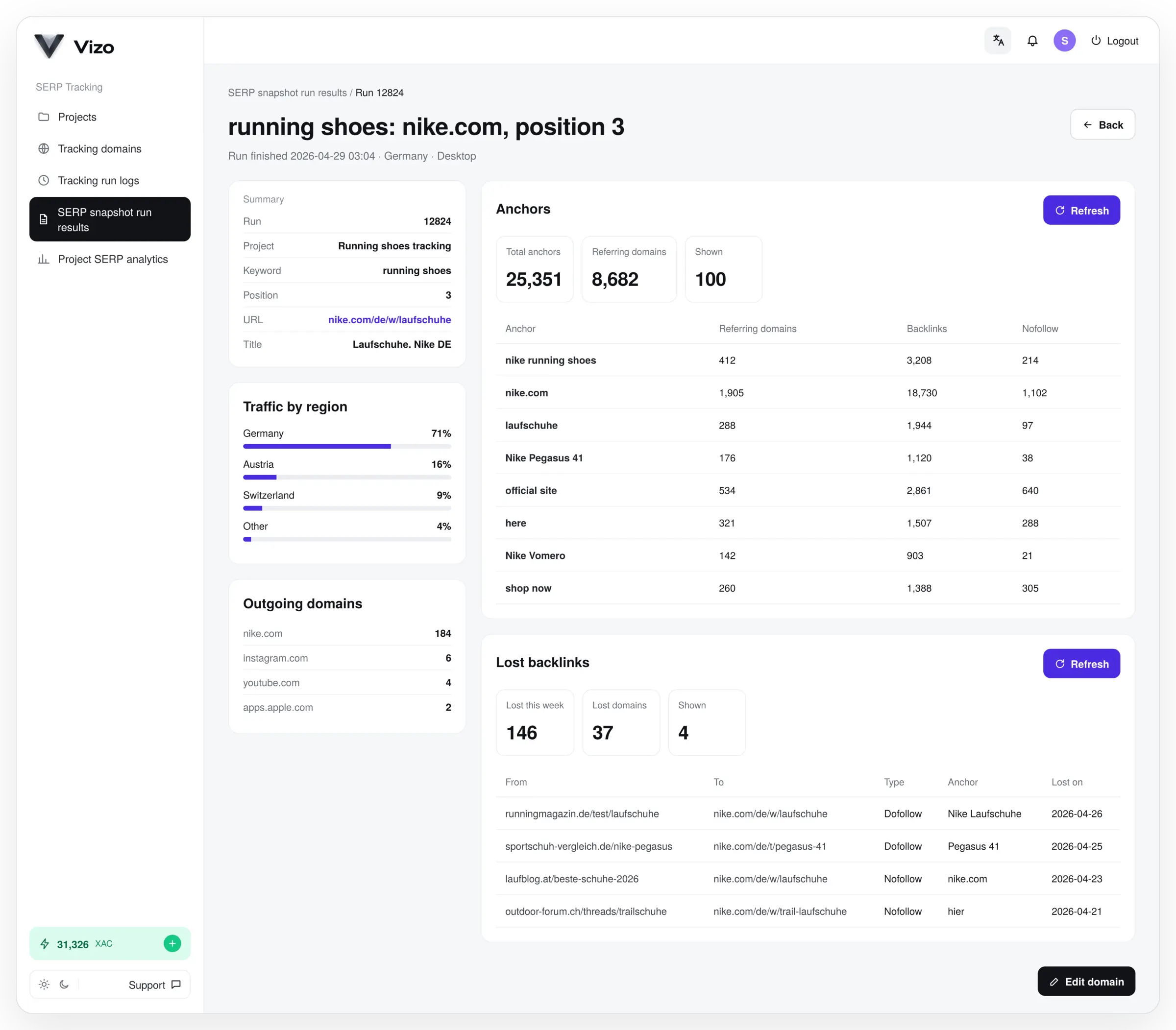
Backlink profile analysis
Get all key metrics instantly in the report.
Domain metrics:
- Anchors and distribution
- New and lost backlinks
- Change history
- Redirects
- Toxic and suspicious sources
- Top pages by inbound links
- Outgoing domains and risk signals
Analyze backlink profiles for domains appearing in search results — in one click.
Choose the depth of analysis:
- Top-3
- Top-5
- Top-10
- Top-20
- Top-50
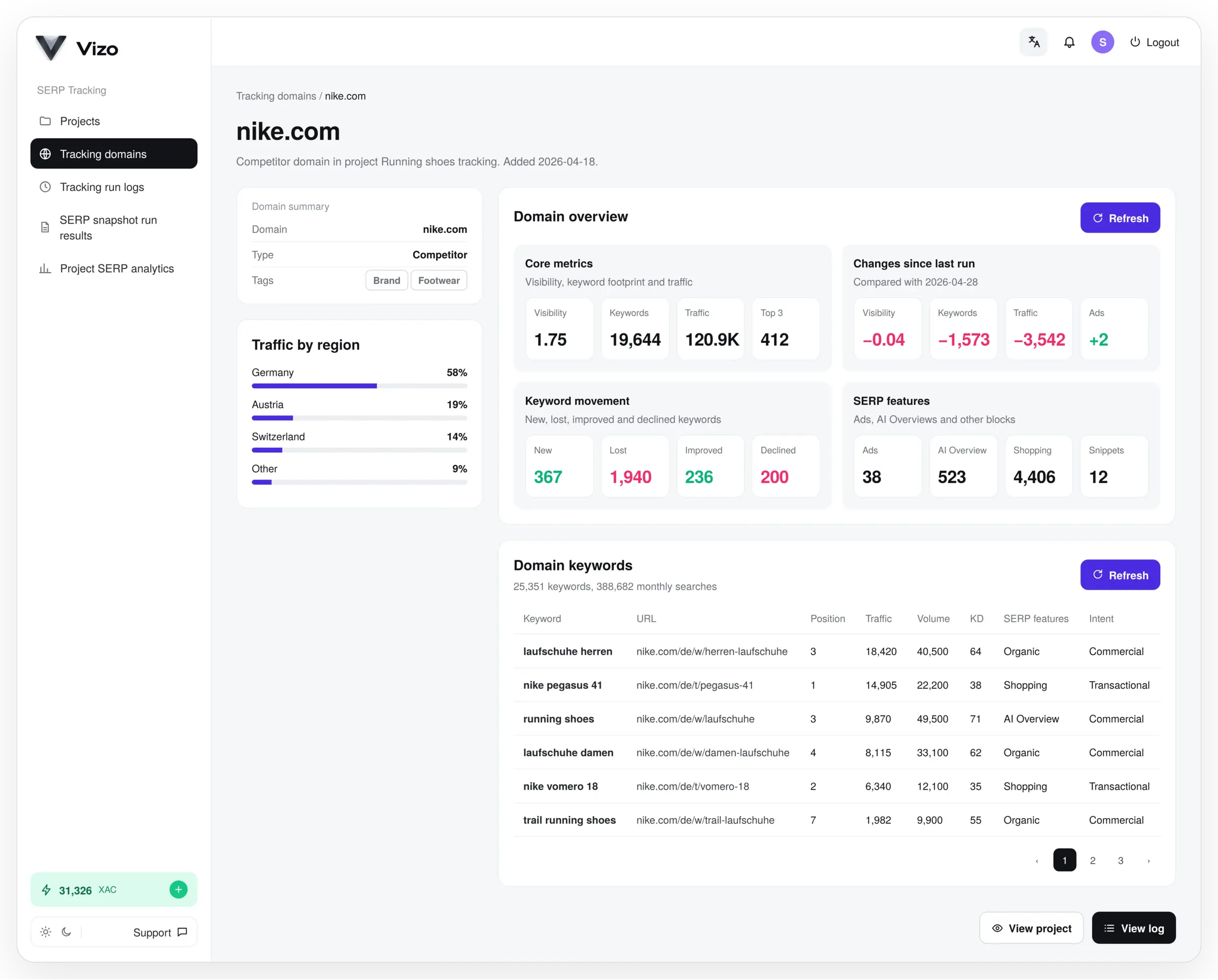
Domain analysis
Evaluate the visibility, strength and potential of the domains you track.
Extended analytics is available for tracked domains.
Vizo shows:
- Domain visibility
- Traffic estimates by region
- Ranking keywords
- Top pages
- Competitors
Keyword review before collection
Basic keyword metrics appear as soon as you add keywords.
Suggested by the system:
- Which keywords to keep
- Which keywords to exclude
Build a relevant keyword set faster.
Transparent limits and usage control
Vizo runs on XAC, an internal balance of credits.
Your team's XAC balance is always visible so you can control spending.
Take control of search results and domains before your competitors do.
Start tracking
Frequently
asked
questions
How often does Vizo check rankings?

Run projects daily or start a check manually. Each completed run saves a SERP snapshot for comparison.
Can I track several countries?
Yes. Each project has its own country, language, and device settings. Create a separate project for each market.
How many keywords can I track?
It depends on your XAC balance. More keywords, deeper results and more frequent checks use more XAC. You'll see the cost before starting a run.
Can I track competitors?
Yes. Add your domain and competitors to compare positions across your project's keywords and saved SERP snapshots.
How soon will I see results?
Most runs finish within minutes. Larger projects and deeper checks can take longer.